Easily Integrate
Stack Exchange's API using Konfig's TypeScript SDK
Growing API Companies trust Konfig's SDKs to onboard developers to their API.





First, instantiate the SDK
It only takes a few lines of code.
Then, send your first request
We made it really easy.
Enjoy a buttery smooth developer experience with 124 SDK methods
Parameter
String list (semicolon delimited).
#Discussion
The Stack Exchange API allows applications to exclude almost every field returned. For example, if an application did not care about a user's badge counts it could exclude user.badge_counts whenever it calls a method that returns users.
An application excludes fields by creating a filter (via /filter/create) and passing it to a method in the filter parameter.
Filters are immutable and non-expiring. An application can safely "bake in" any filters that are created, it is not necessary (or advisable) to create filters at runtime.
The motivation for filters are several fold. Filters allow applications to reduce API responses to just the fields they are concerned with, saving bandwidth. With the list of fields an application is actually concerned with, the API can avoid unneccessary queries thereby decreasing response time (and reducing load on our infrastructure). Finally, filters allow us to be more conservative in what the API returns by default without a proliferation of parameters (as was seen with body, answers, and comments in the 1.x API family).
#Safety
Filters also carry a notion of safety, which is defined as follows. Any string returned as a result of an API call with a safe filter will be inline-able into HTML without script-injection concerns. That is to say, no additional sanitizing (encoding, HTML tag stripping, etc.) will be necessary on returned strings. Applications that wish to handle sanitizing themselves should create an unsafe filter. All filters are safe by default, under the assumption that double-encoding bugs are more desirable than script injections.
Note that this does not mean that "safe" filter is mearly an "unsafe" one with all fields passed though UrlEncode(...). Many fields can and will contain HTML in all filter types (most notably, the *.body fields).
When using unsafe filters, the API returns the highest fidelity data it can reasonably access for the given request. This means that in cases where the "safe" data is the only accessible data it will be returned even in "unsafe" filters. Notably the *.body fields are unchanged, as they are stored in that form. Fields that are unchanged between safe and unsafe filters are denoted in their types documentation.
#Built In Filters
The following filters are built in:
default, each type documents which fields are returned under the default filter (for example, answers). withbody, which is default plus the *.body fields none, which is empty total, which includes just .total
#Compatibility with V1.x
For ease of transition from earlier API versions, the filters _b, _ba, _bc, _bca, _a, _ac, and _c are also built in. These are unsafe, and exclude a combination of question and answer body, comments, and answers so as to mimic the body, answers, and comments parameters that have been removed in V2.0. New applications should not use these filters.
All API responses are JSON, we do support JSONP with the callback query parameter.
Response
bad_parameter – 400 An invalid parameter was passed, this includes even "high level" parameters like key or site.
access_token_required – 401 A method that requires an access token (obtained via authentication) was called without one.
invalid_access_token – 402 An invalid access token was passed to a method.
access_denied – 403 A method which requires certain permissions was called with an access token that lacks those permissions.
no_method – 404 An attempt was made to call a method that does not exist. Note, calling methods that expect numeric ids (like /users/{ids}) with non-numeric ids can also result in this error.
key_required – 405 A method was called in a manner that requires an application key (generally, with an access token), but no key was passed.
access_token_compromised – 406 An access token is no longer believed to be secure, normally because it was used on a non-HTTPS call. The access token will be invalidated if this error is returned.
internal_error – 500 An unexpected error occurred in the API. It has been logged, and Stack Exchange developers have been notified. You should report these errors on Stack Apps if you want to be notified when they're fixed.
throttle_violation – 502 An application has violated part of the rate limiting contract, so the request was terminated.
temporarily_unavailable – 503 Some or all of the API is unavailable. Applications should backoff on requests to the method invoked.
Endpoint
Parameter
String list (semicolon delimited).
#Discussion
The Stack Exchange API allows applications to exclude almost every field returned. For example, if an application did not care about a user's badge counts it could exclude user.badge_counts whenever it calls a method that returns users.
An application excludes fields by creating a filter (via /filter/create) and passing it to a method in the filter parameter.
Filters are immutable and non-expiring. An application can safely "bake in" any filters that are created, it is not necessary (or advisable) to create filters at runtime.
The motivation for filters are several fold. Filters allow applications to reduce API responses to just the fields they are concerned with, saving bandwidth. With the list of fields an application is actually concerned with, the API can avoid unneccessary queries thereby decreasing response time (and reducing load on our infrastructure). Finally, filters allow us to be more conservative in what the API returns by default without a proliferation of parameters (as was seen with body, answers, and comments in the 1.x API family).
#Safety
Filters also carry a notion of safety, which is defined as follows. Any string returned as a result of an API call with a safe filter will be inline-able into HTML without script-injection concerns. That is to say, no additional sanitizing (encoding, HTML tag stripping, etc.) will be necessary on returned strings. Applications that wish to handle sanitizing themselves should create an unsafe filter. All filters are safe by default, under the assumption that double-encoding bugs are more desirable than script injections.
Note that this does not mean that "safe" filter is mearly an "unsafe" one with all fields passed though UrlEncode(...). Many fields can and will contain HTML in all filter types (most notably, the *.body fields).
When using unsafe filters, the API returns the highest fidelity data it can reasonably access for the given request. This means that in cases where the "safe" data is the only accessible data it will be returned even in "unsafe" filters. Notably the *.body fields are unchanged, as they are stored in that form. Fields that are unchanged between safe and unsafe filters are denoted in their types documentation.
#Built In Filters
The following filters are built in:
default, each type documents which fields are returned under the default filter (for example, answers). withbody, which is default plus the *.body fields none, which is empty total, which includes just .total
#Compatibility with V1.x
For ease of transition from earlier API versions, the filters _b, _ba, _bc, _bca, _a, _ac, and _c are also built in. These are unsafe, and exclude a combination of question and answer body, comments, and answers so as to mimic the body, answers, and comments parameters that have been removed in V2.0. New applications should not use these filters.
All API responses are JSON, we do support JSONP with the callback query parameter.
Response
bad_parameter – 400 An invalid parameter was passed, this includes even "high level" parameters like key or site.
access_token_required – 401 A method that requires an access token (obtained via authentication) was called without one.
invalid_access_token – 402 An invalid access token was passed to a method.
access_denied – 403 A method which requires certain permissions was called with an access token that lacks those permissions.
no_method – 404 An attempt was made to call a method that does not exist. Note, calling methods that expect numeric ids (like /users/{ids}) with non-numeric ids can also result in this error.
key_required – 405 A method was called in a manner that requires an application key (generally, with an access token), but no key was passed.
access_token_compromised – 406 An access token is no longer believed to be secure, normally because it was used on a non-HTTPS call. The access token will be invalidated if this error is returned.
internal_error – 500 An unexpected error occurred in the API. It has been logged, and Stack Exchange developers have been notified. You should report these errors on Stack Apps if you want to be notified when they're fixed.
throttle_violation – 502 An application has violated part of the rate limiting contract, so the request was terminated.
temporarily_unavailable – 503 Some or all of the API is unavailable. Applications should backoff on requests to the method invoked.
Endpoint
Parameter
sort = activity => date sort = creation => date sort = votes => number
sort = activity => date sort = creation => date sort = votes => number
Unix date.
Unix date.
#Discussion
The Stack Exchange API allows applications to exclude almost every field returned. For example, if an application did not care about a user's badge counts it could exclude user.badge_counts whenever it calls a method that returns users.
An application excludes fields by creating a filter (via /filter/create) and passing it to a method in the filter parameter.
Filters are immutable and non-expiring. An application can safely "bake in" any filters that are created, it is not necessary (or advisable) to create filters at runtime.
The motivation for filters are several fold. Filters allow applications to reduce API responses to just the fields they are concerned with, saving bandwidth. With the list of fields an application is actually concerned with, the API can avoid unneccessary queries thereby decreasing response time (and reducing load on our infrastructure). Finally, filters allow us to be more conservative in what the API returns by default without a proliferation of parameters (as was seen with body, answers, and comments in the 1.x API family).
#Safety
Filters also carry a notion of safety, which is defined as follows. Any string returned as a result of an API call with a safe filter will be inline-able into HTML without script-injection concerns. That is to say, no additional sanitizing (encoding, HTML tag stripping, etc.) will be necessary on returned strings. Applications that wish to handle sanitizing themselves should create an unsafe filter. All filters are safe by default, under the assumption that double-encoding bugs are more desirable than script injections.
Note that this does not mean that "safe" filter is mearly an "unsafe" one with all fields passed though UrlEncode(...). Many fields can and will contain HTML in all filter types (most notably, the *.body fields).
When using unsafe filters, the API returns the highest fidelity data it can reasonably access for the given request. This means that in cases where the "safe" data is the only accessible data it will be returned even in "unsafe" filters. Notably the *.body fields are unchanged, as they are stored in that form. Fields that are unchanged between safe and unsafe filters are denoted in their types documentation.
#Built In Filters
The following filters are built in:
default, each type documents which fields are returned under the default filter (for example, answers). withbody, which is default plus the *.body fields none, which is empty total, which includes just .total
#Compatibility with V1.x
For ease of transition from earlier API versions, the filters _b, _ba, _bc, _bca, _a, _ac, and _c are also built in. These are unsafe, and exclude a combination of question and answer body, comments, and answers so as to mimic the body, answers, and comments parameters that have been removed in V2.0. New applications should not use these filters.
All API responses are JSON, we do support JSONP with the callback query parameter.
Each of these methods operates on a single site at a time, identified by the site parameter. This parameter can be the full domain name (ie. "stackoverflow.com"), or a short form identified by api_site_parameter on the site object.
Response
bad_parameter – 400 An invalid parameter was passed, this includes even "high level" parameters like key or site.
access_token_required – 401 A method that requires an access token (obtained via authentication) was called without one.
invalid_access_token – 402 An invalid access token was passed to a method.
access_denied – 403 A method which requires certain permissions was called with an access token that lacks those permissions.
no_method – 404 An attempt was made to call a method that does not exist. Note, calling methods that expect numeric ids (like /users/{ids}) with non-numeric ids can also result in this error.
key_required – 405 A method was called in a manner that requires an application key (generally, with an access token), but no key was passed.
access_token_compromised – 406 An access token is no longer believed to be secure, normally because it was used on a non-HTTPS call. The access token will be invalidated if this error is returned.
internal_error – 500 An unexpected error occurred in the API. It has been logged, and Stack Exchange developers have been notified. You should report these errors on Stack Apps if you want to be notified when they're fixed.
throttle_violation – 502 An application has violated part of the rate limiting contract, so the request was terminated.
temporarily_unavailable – 503 Some or all of the API is unavailable. Applications should backoff on requests to the method invoked.
Endpoint
Parameter
Number list (semicolon delimited).
sort = activity => date sort = creation => date sort = votes => number
sort = activity => date sort = creation => date sort = votes => number
Unix date.
Unix date.
#Discussion
The Stack Exchange API allows applications to exclude almost every field returned. For example, if an application did not care about a user's badge counts it could exclude user.badge_counts whenever it calls a method that returns users.
An application excludes fields by creating a filter (via /filter/create) and passing it to a method in the filter parameter.
Filters are immutable and non-expiring. An application can safely "bake in" any filters that are created, it is not necessary (or advisable) to create filters at runtime.
The motivation for filters are several fold. Filters allow applications to reduce API responses to just the fields they are concerned with, saving bandwidth. With the list of fields an application is actually concerned with, the API can avoid unneccessary queries thereby decreasing response time (and reducing load on our infrastructure). Finally, filters allow us to be more conservative in what the API returns by default without a proliferation of parameters (as was seen with body, answers, and comments in the 1.x API family).
#Safety
Filters also carry a notion of safety, which is defined as follows. Any string returned as a result of an API call with a safe filter will be inline-able into HTML without script-injection concerns. That is to say, no additional sanitizing (encoding, HTML tag stripping, etc.) will be necessary on returned strings. Applications that wish to handle sanitizing themselves should create an unsafe filter. All filters are safe by default, under the assumption that double-encoding bugs are more desirable than script injections.
Note that this does not mean that "safe" filter is mearly an "unsafe" one with all fields passed though UrlEncode(...). Many fields can and will contain HTML in all filter types (most notably, the *.body fields).
When using unsafe filters, the API returns the highest fidelity data it can reasonably access for the given request. This means that in cases where the "safe" data is the only accessible data it will be returned even in "unsafe" filters. Notably the *.body fields are unchanged, as they are stored in that form. Fields that are unchanged between safe and unsafe filters are denoted in their types documentation.
#Built In Filters
The following filters are built in:
default, each type documents which fields are returned under the default filter (for example, answers). withbody, which is default plus the *.body fields none, which is empty total, which includes just .total
#Compatibility with V1.x
For ease of transition from earlier API versions, the filters _b, _ba, _bc, _bca, _a, _ac, and _c are also built in. These are unsafe, and exclude a combination of question and answer body, comments, and answers so as to mimic the body, answers, and comments parameters that have been removed in V2.0. New applications should not use these filters.
All API responses are JSON, we do support JSONP with the callback query parameter.
Each of these methods operates on a single site at a time, identified by the site parameter. This parameter can be the full domain name (ie. "stackoverflow.com"), or a short form identified by api_site_parameter on the site object.
Response
bad_parameter – 400 An invalid parameter was passed, this includes even "high level" parameters like key or site.
access_token_required – 401 A method that requires an access token (obtained via authentication) was called without one.
invalid_access_token – 402 An invalid access token was passed to a method.
access_denied – 403 A method which requires certain permissions was called with an access token that lacks those permissions.
no_method – 404 An attempt was made to call a method that does not exist. Note, calling methods that expect numeric ids (like /users/{ids}) with non-numeric ids can also result in this error.
key_required – 405 A method was called in a manner that requires an application key (generally, with an access token), but no key was passed.
access_token_compromised – 406 An access token is no longer believed to be secure, normally because it was used on a non-HTTPS call. The access token will be invalidated if this error is returned.
internal_error – 500 An unexpected error occurred in the API. It has been logged, and Stack Exchange developers have been notified. You should report these errors on Stack Apps if you want to be notified when they're fixed.
throttle_violation – 502 An application has violated part of the rate limiting contract, so the request was terminated.
temporarily_unavailable – 503 Some or all of the API is unavailable. Applications should backoff on requests to the method invoked.
Endpoint
Parameter
Number list (semicolon delimited).
sort = creation => date sort = votes => number
sort = creation => date sort = votes => number
Unix date.
Unix date.
#Discussion
The Stack Exchange API allows applications to exclude almost every field returned. For example, if an application did not care about a user's badge counts it could exclude user.badge_counts whenever it calls a method that returns users.
An application excludes fields by creating a filter (via /filter/create) and passing it to a method in the filter parameter.
Filters are immutable and non-expiring. An application can safely "bake in" any filters that are created, it is not necessary (or advisable) to create filters at runtime.
The motivation for filters are several fold. Filters allow applications to reduce API responses to just the fields they are concerned with, saving bandwidth. With the list of fields an application is actually concerned with, the API can avoid unneccessary queries thereby decreasing response time (and reducing load on our infrastructure). Finally, filters allow us to be more conservative in what the API returns by default without a proliferation of parameters (as was seen with body, answers, and comments in the 1.x API family).
#Safety
Filters also carry a notion of safety, which is defined as follows. Any string returned as a result of an API call with a safe filter will be inline-able into HTML without script-injection concerns. That is to say, no additional sanitizing (encoding, HTML tag stripping, etc.) will be necessary on returned strings. Applications that wish to handle sanitizing themselves should create an unsafe filter. All filters are safe by default, under the assumption that double-encoding bugs are more desirable than script injections.
Note that this does not mean that "safe" filter is mearly an "unsafe" one with all fields passed though UrlEncode(...). Many fields can and will contain HTML in all filter types (most notably, the *.body fields).
When using unsafe filters, the API returns the highest fidelity data it can reasonably access for the given request. This means that in cases where the "safe" data is the only accessible data it will be returned even in "unsafe" filters. Notably the *.body fields are unchanged, as they are stored in that form. Fields that are unchanged between safe and unsafe filters are denoted in their types documentation.
#Built In Filters
The following filters are built in:
default, each type documents which fields are returned under the default filter (for example, answers). withbody, which is default plus the *.body fields none, which is empty total, which includes just .total
#Compatibility with V1.x
For ease of transition from earlier API versions, the filters _b, _ba, _bc, _bca, _a, _ac, and _c are also built in. These are unsafe, and exclude a combination of question and answer body, comments, and answers so as to mimic the body, answers, and comments parameters that have been removed in V2.0. New applications should not use these filters.
All API responses are JSON, we do support JSONP with the callback query parameter.
Each of these methods operates on a single site at a time, identified by the site parameter. This parameter can be the full domain name (ie. "stackoverflow.com"), or a short form identified by api_site_parameter on the site object.
Response
bad_parameter – 400 An invalid parameter was passed, this includes even "high level" parameters like key or site.
access_token_required – 401 A method that requires an access token (obtained via authentication) was called without one.
invalid_access_token – 402 An invalid access token was passed to a method.
access_denied – 403 A method which requires certain permissions was called with an access token that lacks those permissions.
no_method – 404 An attempt was made to call a method that does not exist. Note, calling methods that expect numeric ids (like /users/{ids}) with non-numeric ids can also result in this error.
key_required – 405 A method was called in a manner that requires an application key (generally, with an access token), but no key was passed.
access_token_compromised – 406 An access token is no longer believed to be secure, normally because it was used on a non-HTTPS call. The access token will be invalidated if this error is returned.
internal_error – 500 An unexpected error occurred in the API. It has been logged, and Stack Exchange developers have been notified. You should report these errors on Stack Apps if you want to be notified when they're fixed.
throttle_violation – 502 An application has violated part of the rate limiting contract, so the request was terminated.
temporarily_unavailable – 503 Some or all of the API is unavailable. Applications should backoff on requests to the method invoked.
Endpoint
Parameter
String list (semicolon delimited).
#Discussion
The Stack Exchange API allows applications to exclude almost every field returned. For example, if an application did not care about a user's badge counts it could exclude user.badge_counts whenever it calls a method that returns users.
An application excludes fields by creating a filter (via /filter/create) and passing it to a method in the filter parameter.
Filters are immutable and non-expiring. An application can safely "bake in" any filters that are created, it is not necessary (or advisable) to create filters at runtime.
The motivation for filters are several fold. Filters allow applications to reduce API responses to just the fields they are concerned with, saving bandwidth. With the list of fields an application is actually concerned with, the API can avoid unneccessary queries thereby decreasing response time (and reducing load on our infrastructure). Finally, filters allow us to be more conservative in what the API returns by default without a proliferation of parameters (as was seen with body, answers, and comments in the 1.x API family).
#Safety
Filters also carry a notion of safety, which is defined as follows. Any string returned as a result of an API call with a safe filter will be inline-able into HTML without script-injection concerns. That is to say, no additional sanitizing (encoding, HTML tag stripping, etc.) will be necessary on returned strings. Applications that wish to handle sanitizing themselves should create an unsafe filter. All filters are safe by default, under the assumption that double-encoding bugs are more desirable than script injections.
Note that this does not mean that "safe" filter is mearly an "unsafe" one with all fields passed though UrlEncode(...). Many fields can and will contain HTML in all filter types (most notably, the *.body fields).
When using unsafe filters, the API returns the highest fidelity data it can reasonably access for the given request. This means that in cases where the "safe" data is the only accessible data it will be returned even in "unsafe" filters. Notably the *.body fields are unchanged, as they are stored in that form. Fields that are unchanged between safe and unsafe filters are denoted in their types documentation.
#Built In Filters
The following filters are built in:
default, each type documents which fields are returned under the default filter (for example, answers). withbody, which is default plus the *.body fields none, which is empty total, which includes just .total
#Compatibility with V1.x
For ease of transition from earlier API versions, the filters _b, _ba, _bc, _bca, _a, _ac, and _c are also built in. These are unsafe, and exclude a combination of question and answer body, comments, and answers so as to mimic the body, answers, and comments parameters that have been removed in V2.0. New applications should not use these filters.
All API responses are JSON, we do support JSONP with the callback query parameter.
Response
bad_parameter – 400 An invalid parameter was passed, this includes even "high level" parameters like key or site.
access_token_required – 401 A method that requires an access token (obtained via authentication) was called without one.
invalid_access_token – 402 An invalid access token was passed to a method.
access_denied – 403 A method which requires certain permissions was called with an access token that lacks those permissions.
no_method – 404 An attempt was made to call a method that does not exist. Note, calling methods that expect numeric ids (like /users/{ids}) with non-numeric ids can also result in this error.
key_required – 405 A method was called in a manner that requires an application key (generally, with an access token), but no key was passed.
access_token_compromised – 406 An access token is no longer believed to be secure, normally because it was used on a non-HTTPS call. The access token will be invalidated if this error is returned.
internal_error – 500 An unexpected error occurred in the API. It has been logged, and Stack Exchange developers have been notified. You should report these errors on Stack Apps if you want to be notified when they're fixed.
throttle_violation – 502 An application has violated part of the rate limiting contract, so the request was terminated.
temporarily_unavailable – 503 Some or all of the API is unavailable. Applications should backoff on requests to the method invoked.
Endpoint
How Konfig Works
Konfig collects APIs and automatically generates SDKs so you can focus on building your application.

Konfig maintains the highest quality collection of OpenAPI Specifications on the internet in a GitHub repository
We pull OpenAPI Specifications from public sources, fix any errors, and make sure they pass our lint rules. We continually make sure the repository is up-to-date and collect up-time and response time metrics for every API.
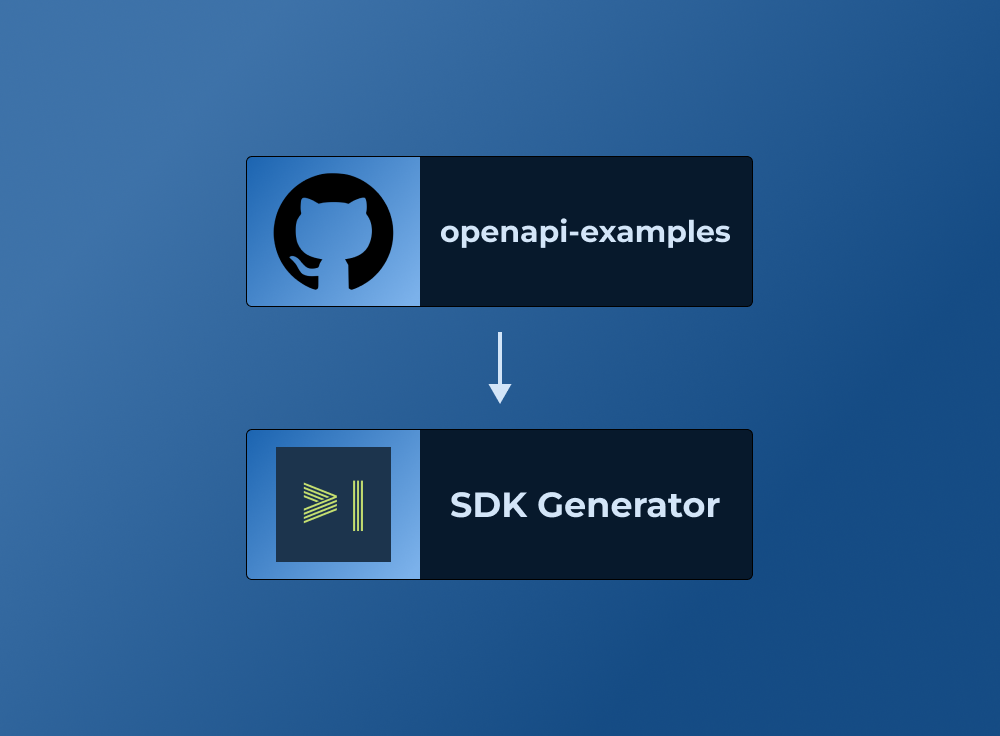
Generates AI-Augmented SDKs from openapi-examples
Our SDK generator is trusted by growing API companies and goes through a rigorous testing process to ensure the generated SDKs are high-quality and easy to use.
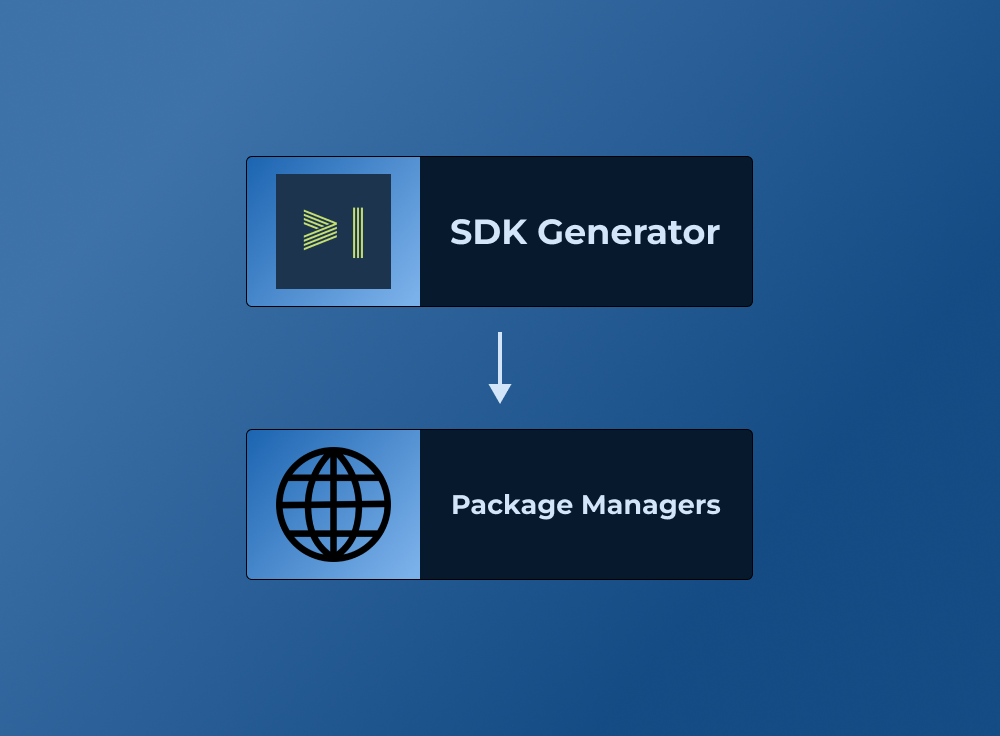
Publishes to standard package managers
We publish to standard package managers like npm, PyPI, and Maven so you can easily integrate the SDK into your application.

About Stack Exchange
We make Stack Overflow and 170+ other community-powered Q&A sites.